
Prepare
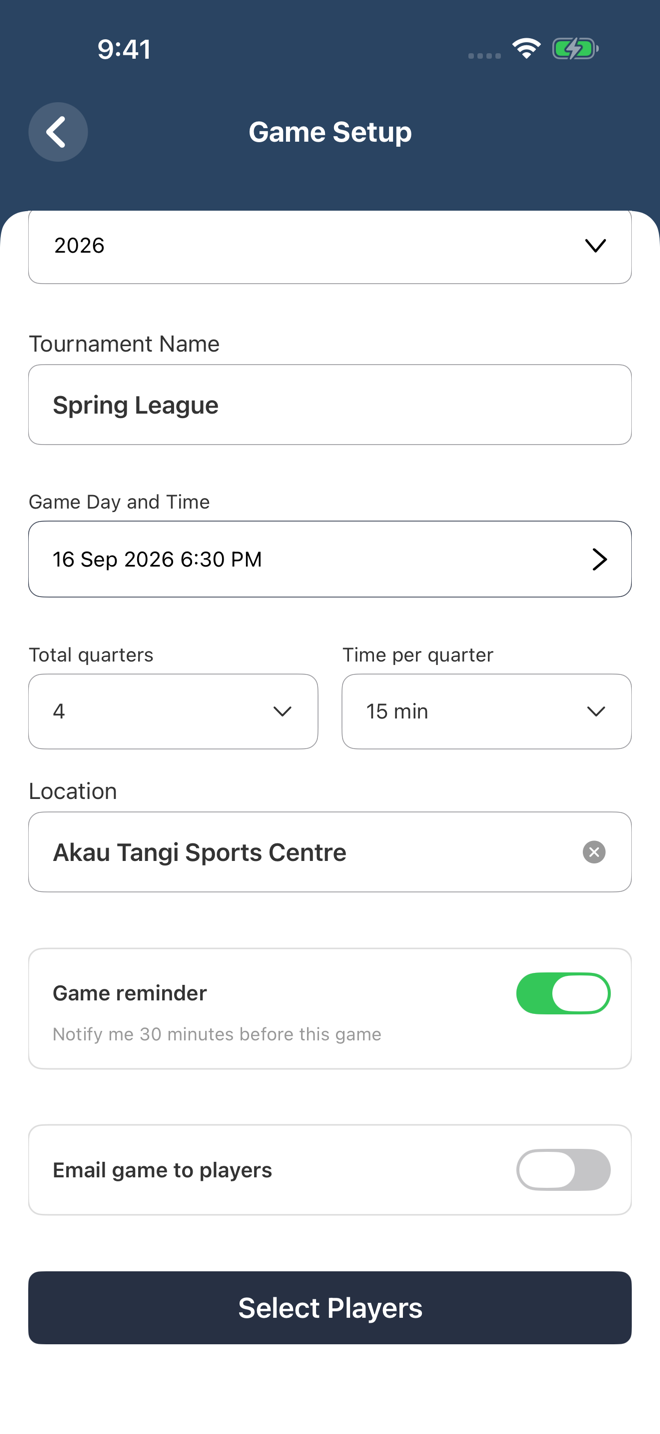
Create your team first, add players and preferred positions, then set the venue, quarters and timing for your next game.

Score the match courtside, understand what changed the game, and share clear performance reports while the details are still fresh.
Boost gives coaches, managers and scorers one connected workflow. Prepare the team, assign court positions, capture the moments that matter, then review useful data without working through paper score sheets.
Create your team first, add players and preferred positions, then set the venue, quarters and timing for your next game.
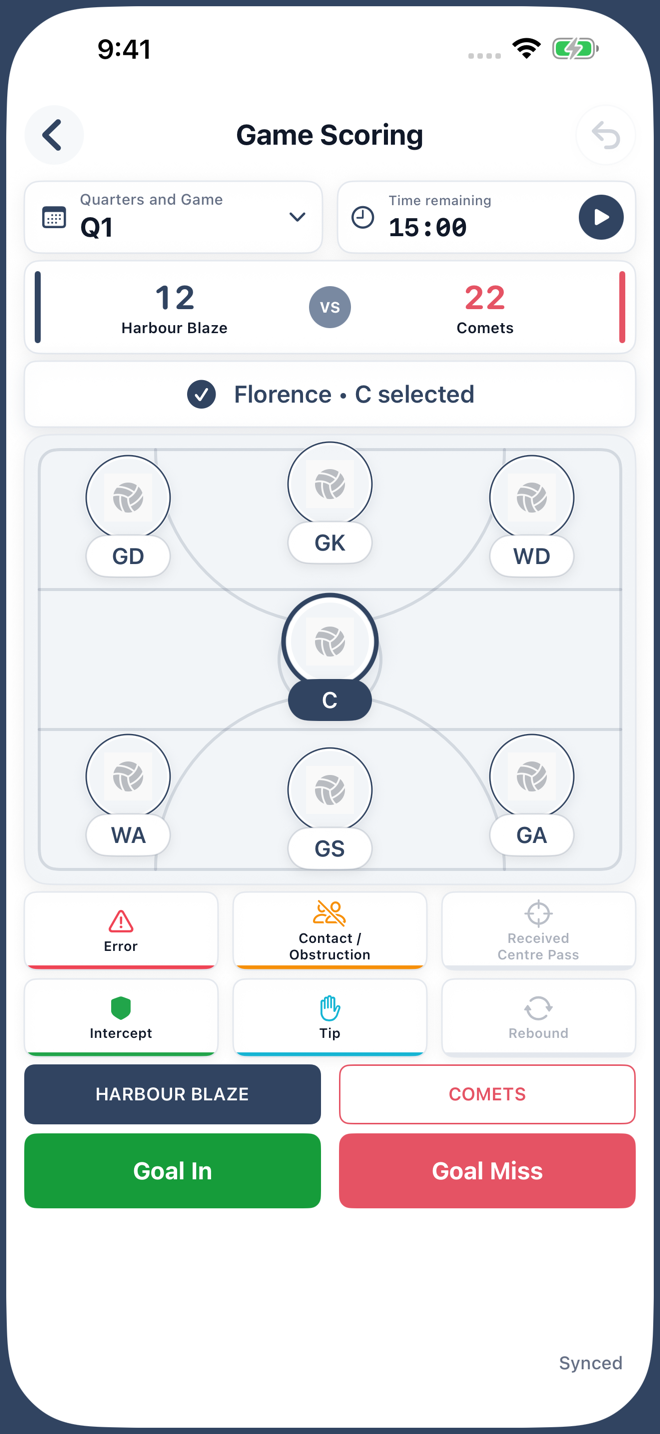
Select a player, record the event and track both teams. Hold a court position to make a substitution without leaving the match.
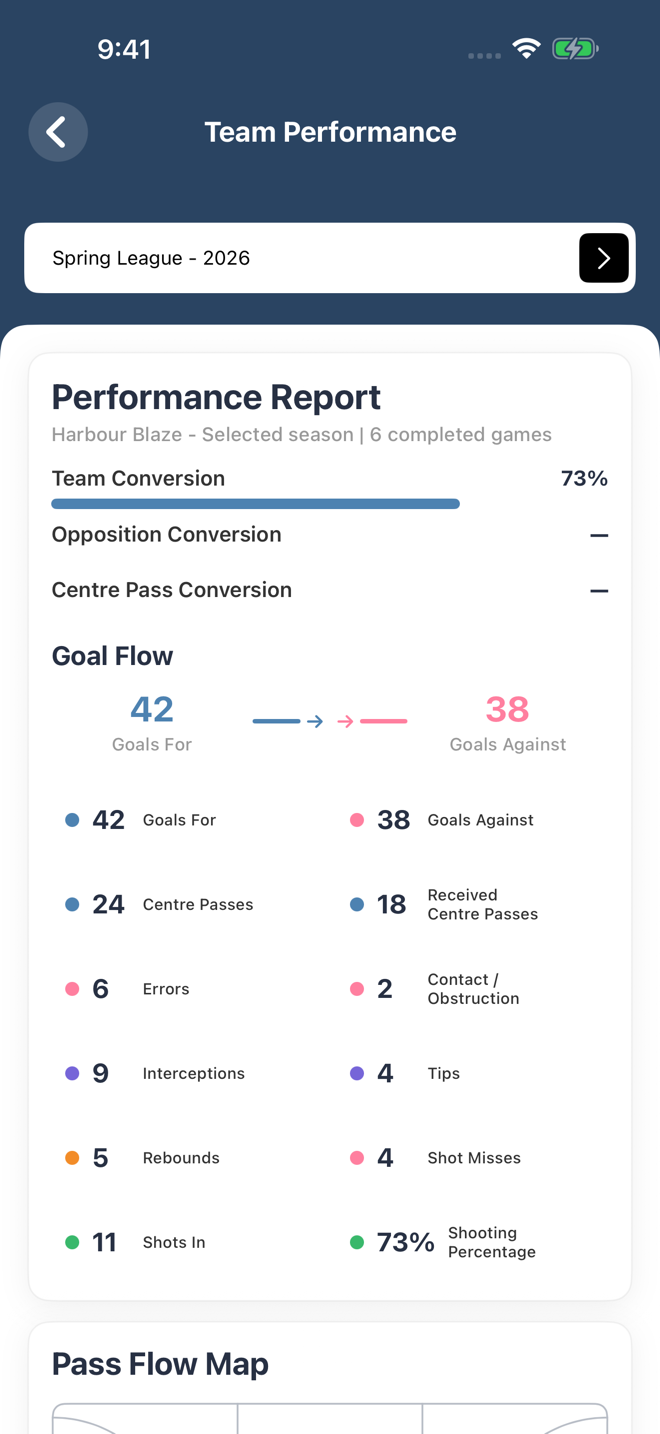
Review conversion, goal flow, centre passes, errors, intercepts, tips, rebounds, shooting and player contributions.
Send game details to players with email addresses, then share match, team and season PDF reports after play.
Build the game around your team, from a short training match to a full four-quarter fixture.
Boost keeps the active quarter, timer, score, selected player and event actions in one clear flow designed for quick taps during a real match.
Keep your eyes on the court. Check the score, record goals and make a substitution from your wrist, connected to the same game on your iPhone.

Add or correct a goal for either team, undo a mistake and move to the next quarter. Subtle haptics confirm accepted actions.

See your current players by position. Choose your Goal Shooter or Goal Attack to keep home-team goals assigned to the right player.

Tap a position, choose an available bench player and keep the match moving. The lineup updates through Boost on your iPhone.
One game, kept in sync. See upcoming fixtures, resume your active game and finish with confirmation. A small header icon shows your phone connection or pending sync. If the connection drops during play, changes are saved on your Watch and sent when your iPhone reconnects.
Apple Watch support is part of the upcoming Boost 2.0 release. Requires watchOS 10 or later and Boost on a paired iPhone. Connect to your iPhone to start or finish a game; the Watch app is not standalone.
Team Performance turns completed matches into a practical coaching review. Select a team and season to see the numbers, patterns and players that shaped the result.
Wins and losses are only the start. Boost brings together season totals, score trends, quarter performance and player leaders so progress is easier to see and discuss.
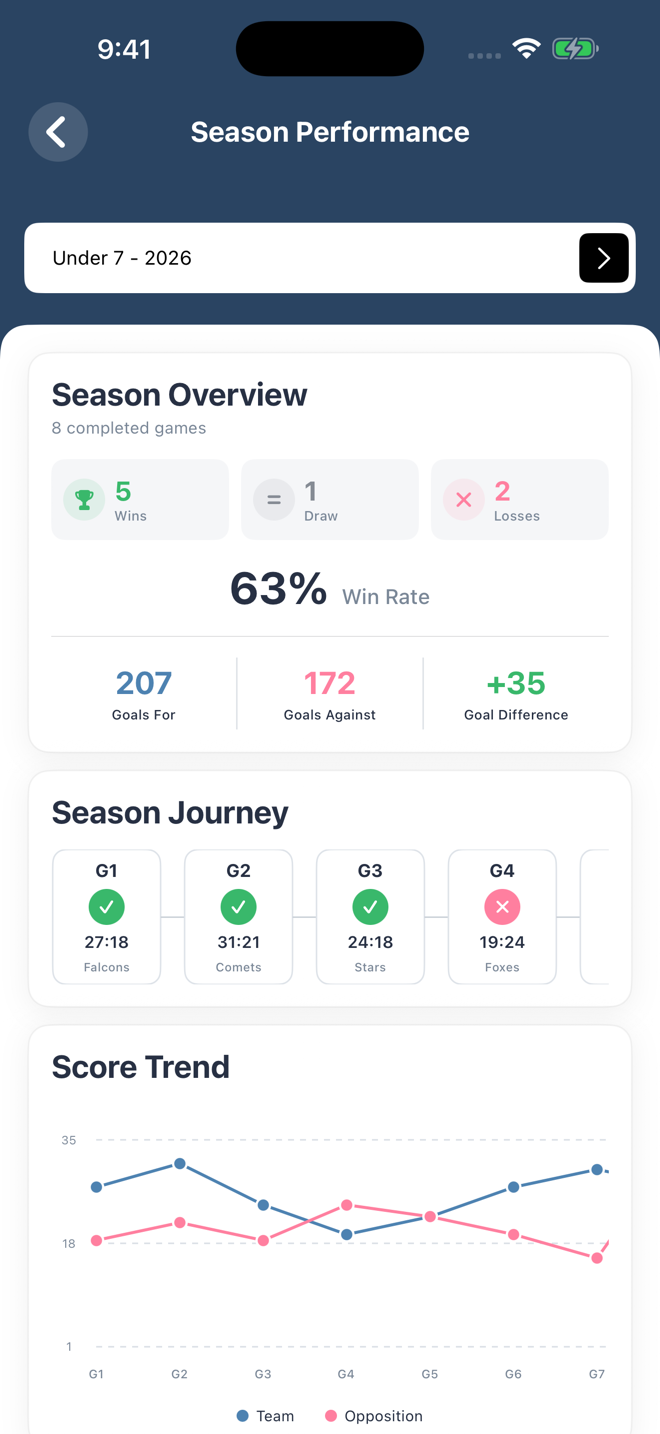
Completed games, wins, draws, losses, win rate, goals for, goals against and goal difference.
Follow each result in order and compare your scoring trend with the opposition across the season.
Find stronger quarters, see court-position impact and identify the players leading key performance areas.
The selected player stays visible above the court, with timing, scores and event buttons close at hand.
Boost creates branded PDF reports for match results, team performance and season performance. Reports are emailed directly to the signed-in user, ready to share with coaches, players or parents.
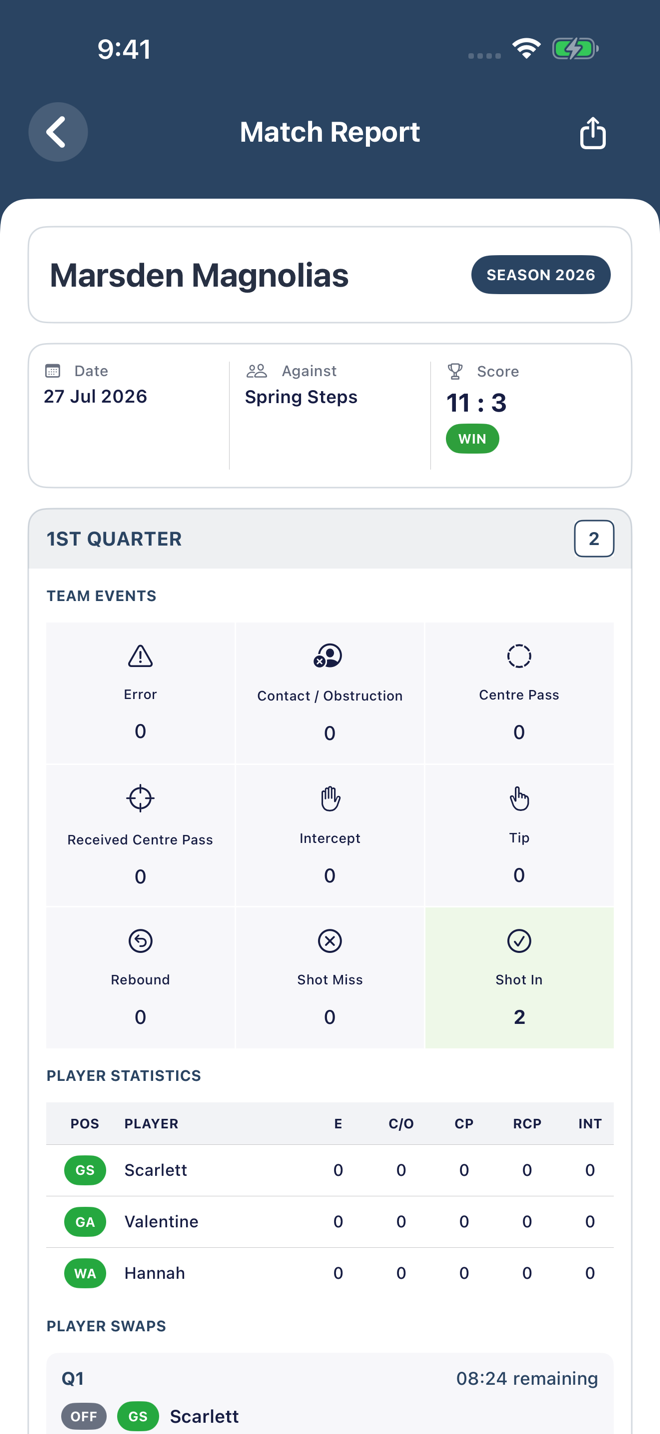
Match reports also keep the substitution story: the outgoing and incoming player, their position, the quarter and the recorded time.
Add the Boost widget to see your next game's teams and time. The medium widget also shows the venue. Tap to open that game.

Use Face ID for quick sign-in. Touch and hold the Boost app icon to add a new game or jump straight to your teams.
Send us a message about Boost, your account or anything you need help with. We will email a copy to you and reply as soon as we can.